 #+html:
  #+html:
#+html:
#+html:
#+html:
 ** Basic usage
To get started, download some documentation with
=M-x devdocs-install=. This will query https://devdocs.io for the
available documents and save the selected one to disk. To read the
installed documentation, there are two options:
- =devdocs-peruse=: Select a document and display its first page.
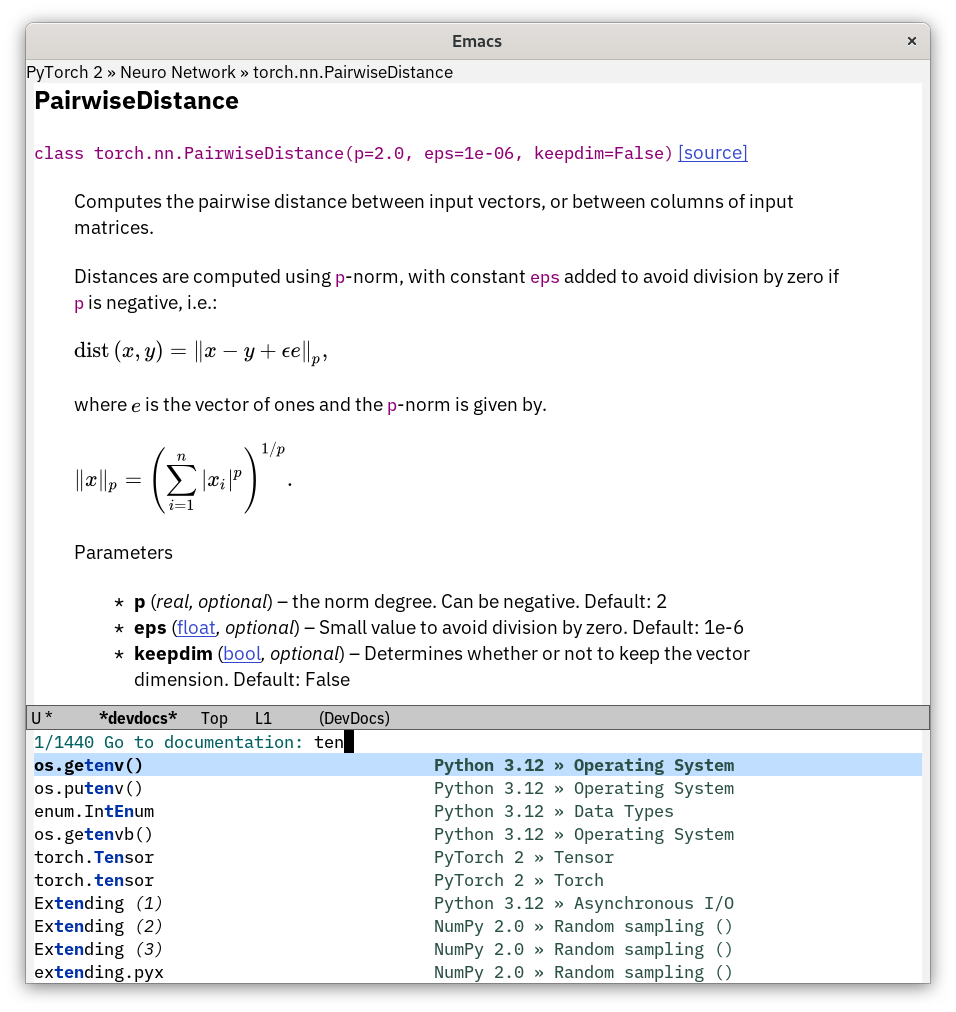
- =devdocs-lookup=: Select an index entry and display it.
It's handy to have a keybinding for the latter command. One
possibility, in analogy to =C-h S= (=info-lookup-symbol=), is
#+begin_src elisp
(global-set-key (kbd "C-h D") 'devdocs-lookup)
#+end_src
In any given buffer, the first call to =devdocs-lookup= will query for
a list of documents to search (you can select more than one option by
entering a comma-separated list). This selection will be remembered
in subsequent calls to =devdocs-lookup=, unless a prefix argument is
given; in this case you can select a new list of documents.
In the =*devdocs*= buffer, navigation keys similar to Info and
=*Help*= buffers are available; press =C-h m= for details. Internal
hyperlinks are opened in the same viewing buffer, and external links
are opened as =browse-url= normally would.
** Managing documents
To manage the collection of installed documents, use the following
commands:
- =devdocs-install=: Download and install (or reinstall) a document
distributed by [[https://devdocs.io]].
- =devdocs-delete=: Remove an installed document.
- =devdocs-update-all=: Download and reinstall all installed documents
for which a newer version is available.
In some cases, variants of a document are available for each (major)
version. It is possible to install several versions in parallel.
Documents are installed under =devdocs-data-dir=, which defaults to
=~/.emacs.d/devdocs=. To completely uninstall the package, remove
this directory.
** Customization
Run =M-x customize-group RET devdocs RET= to see a listing of
customization options.
You can enable rendering of mathematical formulas by installing the
[[https://elpa.gnu.org/packages/mathjax.html][mathjax]] package. Note that this additionally requires having [[https://nodejs.org/][Node.js]]
installed on your machine.
** Setting the default documents for a collection of buffers
You may wish to select a predefined list of documents in all buffers
of a certain major mode or project. To achieve this, set the
=devdocs-current-docs= variable directly, say via [[https://www.gnu.org/software/emacs/manual/html_node/emacs/Directory-Variables.html][dir-local variables]]
or a mode hook:
#+begin_src elisp
(add-hook 'python-mode-hook
(lambda () (setq-local devdocs-current-docs '("python~3.9"))))
#+end_src
As usual, calling =devdocs-lookup= with a prefix argument redefines
the selected documents for that specific buffer.
** Contributing
Discussions, suggestions and code contributions are welcome! Since
this package is part of GNU ELPA, nontrivial contributions (above 15
lines of code) require a copyright assignment to the FSF.
** Basic usage
To get started, download some documentation with
=M-x devdocs-install=. This will query https://devdocs.io for the
available documents and save the selected one to disk. To read the
installed documentation, there are two options:
- =devdocs-peruse=: Select a document and display its first page.
- =devdocs-lookup=: Select an index entry and display it.
It's handy to have a keybinding for the latter command. One
possibility, in analogy to =C-h S= (=info-lookup-symbol=), is
#+begin_src elisp
(global-set-key (kbd "C-h D") 'devdocs-lookup)
#+end_src
In any given buffer, the first call to =devdocs-lookup= will query for
a list of documents to search (you can select more than one option by
entering a comma-separated list). This selection will be remembered
in subsequent calls to =devdocs-lookup=, unless a prefix argument is
given; in this case you can select a new list of documents.
In the =*devdocs*= buffer, navigation keys similar to Info and
=*Help*= buffers are available; press =C-h m= for details. Internal
hyperlinks are opened in the same viewing buffer, and external links
are opened as =browse-url= normally would.
** Managing documents
To manage the collection of installed documents, use the following
commands:
- =devdocs-install=: Download and install (or reinstall) a document
distributed by [[https://devdocs.io]].
- =devdocs-delete=: Remove an installed document.
- =devdocs-update-all=: Download and reinstall all installed documents
for which a newer version is available.
In some cases, variants of a document are available for each (major)
version. It is possible to install several versions in parallel.
Documents are installed under =devdocs-data-dir=, which defaults to
=~/.emacs.d/devdocs=. To completely uninstall the package, remove
this directory.
** Customization
Run =M-x customize-group RET devdocs RET= to see a listing of
customization options.
You can enable rendering of mathematical formulas by installing the
[[https://elpa.gnu.org/packages/mathjax.html][mathjax]] package. Note that this additionally requires having [[https://nodejs.org/][Node.js]]
installed on your machine.
** Setting the default documents for a collection of buffers
You may wish to select a predefined list of documents in all buffers
of a certain major mode or project. To achieve this, set the
=devdocs-current-docs= variable directly, say via [[https://www.gnu.org/software/emacs/manual/html_node/emacs/Directory-Variables.html][dir-local variables]]
or a mode hook:
#+begin_src elisp
(add-hook 'python-mode-hook
(lambda () (setq-local devdocs-current-docs '("python~3.9"))))
#+end_src
As usual, calling =devdocs-lookup= with a prefix argument redefines
the selected documents for that specific buffer.
** Contributing
Discussions, suggestions and code contributions are welcome! Since
this package is part of GNU ELPA, nontrivial contributions (above 15
lines of code) require a copyright assignment to the FSF.